
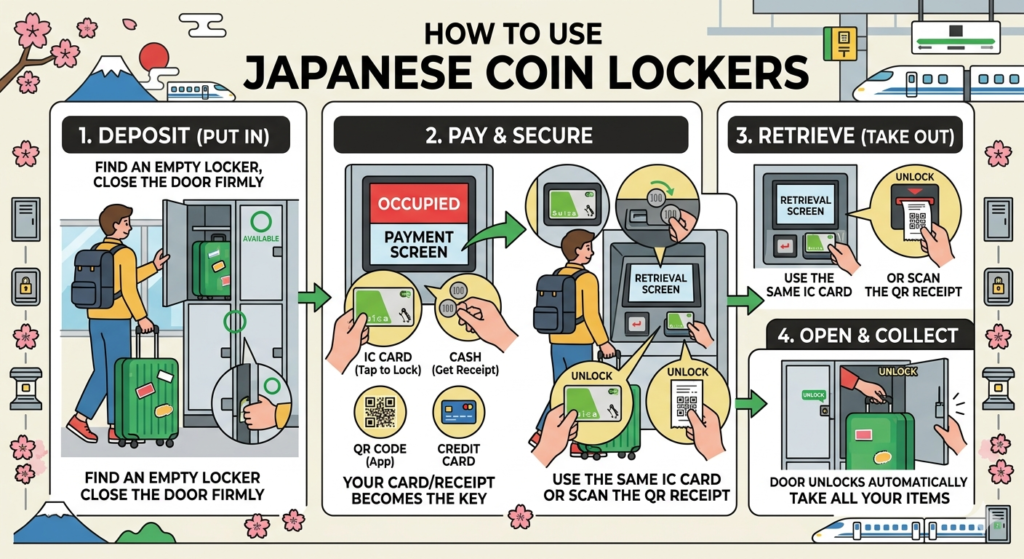
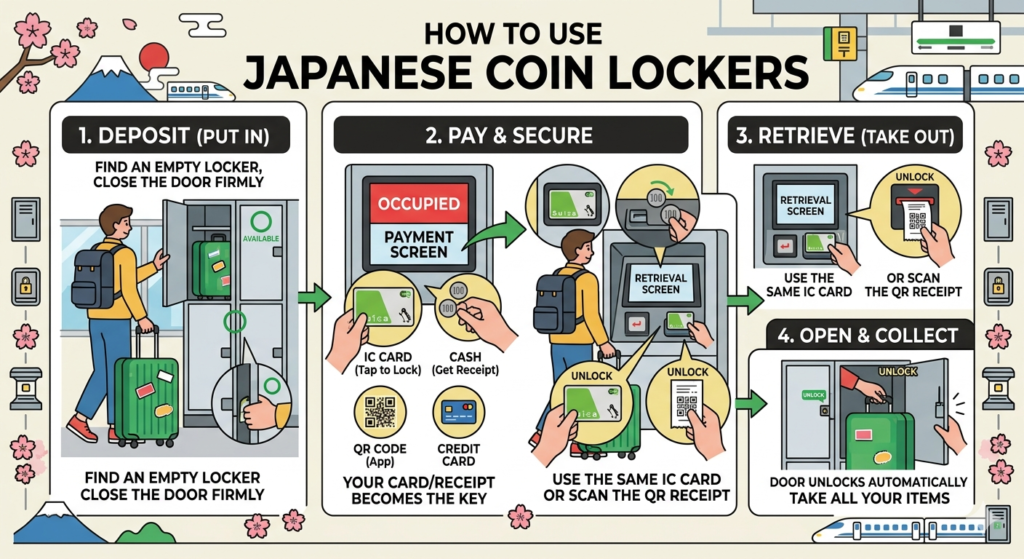
Don’t let heavy luggage slow you down! In Japan, coin lockers are the ultimate solution for hands-free travel. Here is a complete guide on how to find, pay for, and retrieve your bags—including the latest app-based systems.
1. Where to Find Them
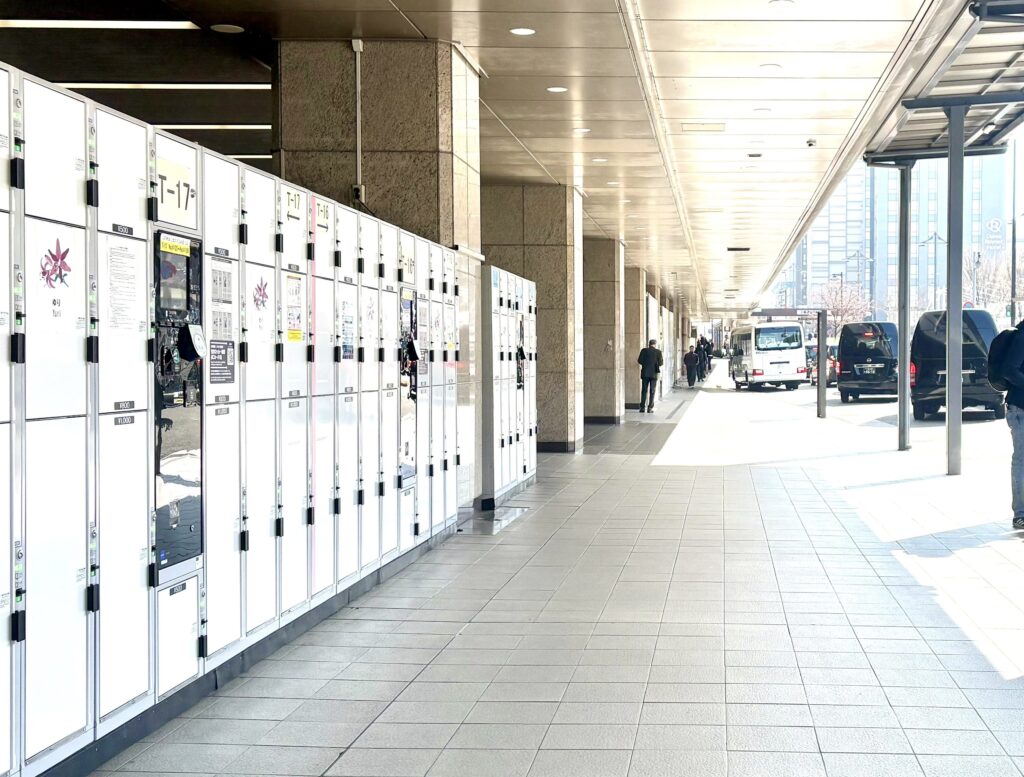
- Major Stations: Look for the “Locker” icon. Large hubs like Tokyo or Osaka stations have thousands of units.
- The “Deep Station” Secret: If the lockers near the ticket gates are full, check the basement levels (B3F/B4F). They are often a “hidden gem” with plenty of space.
2. Modern Payment Options: Beyond Just Coins
While traditional lockers still exist, most modern lockers (especially in cities) now offer several cashless ways to pay:
- Transportation IC Cards (Best Choice): Tap your Suica, Pasmo, or ICOCA. Your card acts as your digital key.
- QR Code Payments: Many new machines (like “Multi-Ecube”) now accept PayPay, Alipay, and WeChat Pay.
- Credit Cards: You can now find lockers that accept Visa, Mastercard, and JCB directly via the touch panel.
- App-Based Lockers (e.g., SPACER): Some lockers are controlled entirely by your smartphone. You download the app, find an available unit, and pay via your registered credit card within the app.
3. How to Deposit (Put In)
- Find a Green Light: This indicates the locker is empty.
- Place your bags inside and close the door firmly.
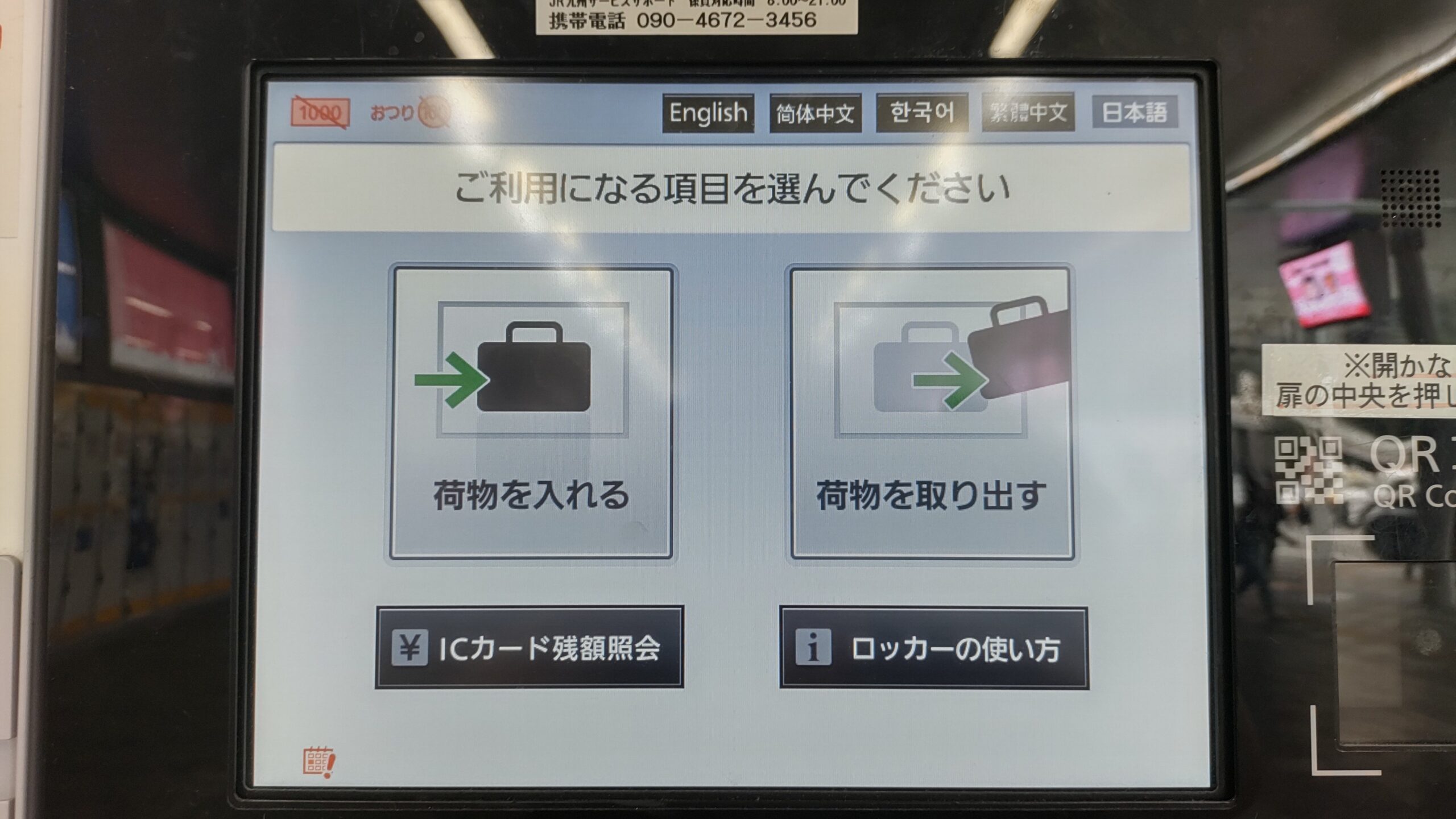
- Use the Touch Panel: Select your language (English/Chinese/Korean supported).
- Confirm the Locker Number on the screen.
- Pay: Choose your method (IC Card, QR, Credit Card, or Cash).
- Take Your Key/Receipt: * If you paid with IC Card, your card is the key.
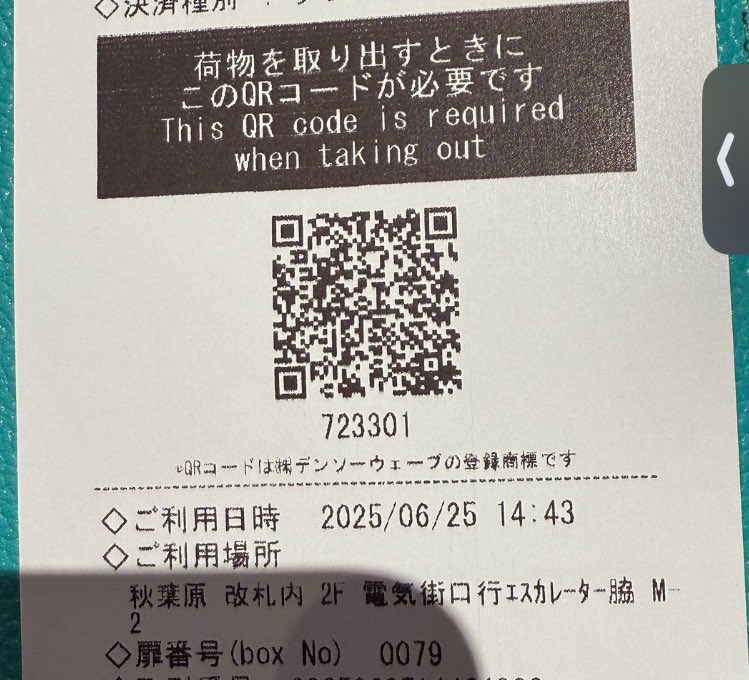
- If you paid with Cash or QR, a paper receipt will print. Do not lose this! It contains a unique QR code or PIN for retrieval.
4. How to Retrieve (Take Out)
This is where many travelers get confused. Follow these steps:
- Return to the Same Locker Bank: (Tip: Take a photo of the area when you deposit so you don’t get lost!).
- Touch the Screen: Select “Retrieve” (荷物を取り出す).
- Unlock:
- IC Card: Tap the card you used to deposit. The door will pop open.
- QR Code/PIN: Scan the QR code from your receipt or enter the PIN manually.
- App: If you used an app like SPACER, tap “Unlock” on your phone while standing in front of the locker.
- Physical Key: Simply insert the key and turn.
- Check for Extra Fees: If you stored your bags past midnight (or 2:00 AM), the screen will ask for an “Additional Fee.” You must pay this balance before the door unlocks.
5. Pro-Tips for 2026
Photo is Your Best Friend: Take a photo of the Locker Number and the Section Name (e.g., “COIN LOCKER – Green Zone near North Exit”).
The Midnight Reset: Most lockers charge per “Calendar Day,” not 24 hours. If you store at 11 PM and pick up at 8 AM the next day, you will be charged for two days.
Inside vs. Outside Gates: Some lockers are inside the ticket gates. To get your bags, you must enter the station with a ticket or IC card.
Free your hands, free your journey. Enjoy Japan to the fullest!
More from my site
 How to Get Around Tokyo & Osaka Without Taxis (Easy Train Guide)
 How to Get from Kansai International Airport (KIX) to Osaka, Kyoto, and Nara
 Complete Guide: How to Get from Haneda Airport to Tokyo
 Complete Guide: How to Get from Narita Airport to Tokyo
 Welcome to Shinjuku Dungeon: How to Navigate the World’s Busiest Hub
 How to Get from Chubu Centrair Airport to Nagoya City Center